CONTENTS
- Step-By-Step Guide
- Limitations
1. Download the Airfoil Design App
- Visit the iOS App Store or Android Play Store on your mobile device.
- Search for “Airfoil Design” and download the app.



WINDOW 1
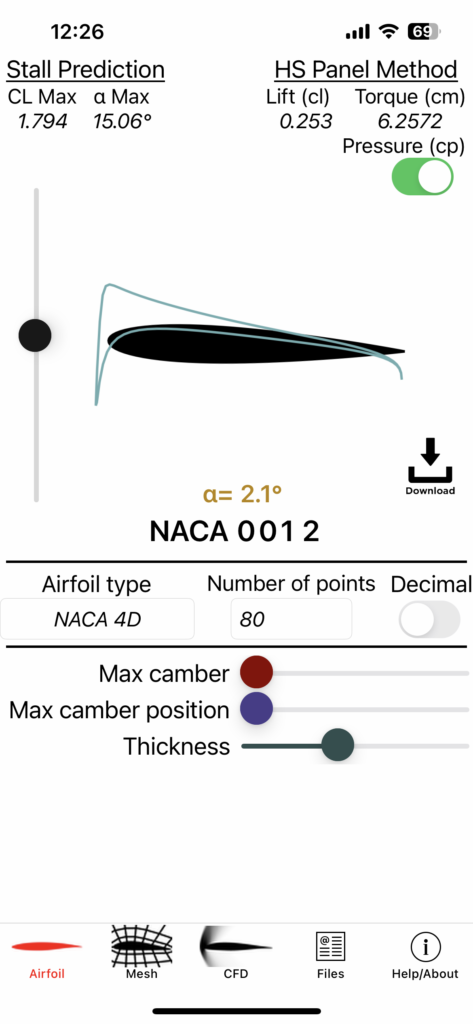
To the left is the window 1 that appears when you first open the window. The default airfoil type is NACA2412
2: Choose Airfoil Type
- Select an appropriate Airfoil Type, namely NACA0012(module 1) & NACA2412(module 2).
3. Adjust Airfoil Characteristics
- Set the airfoil characteristics to the desired value. In our cases, we stick to the default values given.
- Fine-tune the Angle of Attack (AOA) by moving the pointer on the scale provided on the left-hand side.
WINDOW 2
To the left is the window 2 that appears as navigate to the next step by clicking ‘Mesh’.
4. Set Mesh Parameters
Configure the number of steps, initial step size, and growth rate for mesh generation.
5. Set Correction Parameters
Specify minimum and maximum sub-steps for correction.
6. Generate Mesh
Click “Generate” to create the mesh based on your parameter settings.
NOTE: For our purpose, we will use the default values.

WINDOW 3

To the left is the window 3 that appears as navigate to the next step by clicking ‘CFD’.
8. Run Simulation
If no further modifications are required, click “Run Sim” and patiently wait for the computation to complete.
NOTE: For our purpose, we will use the default values.
WINDOW 4
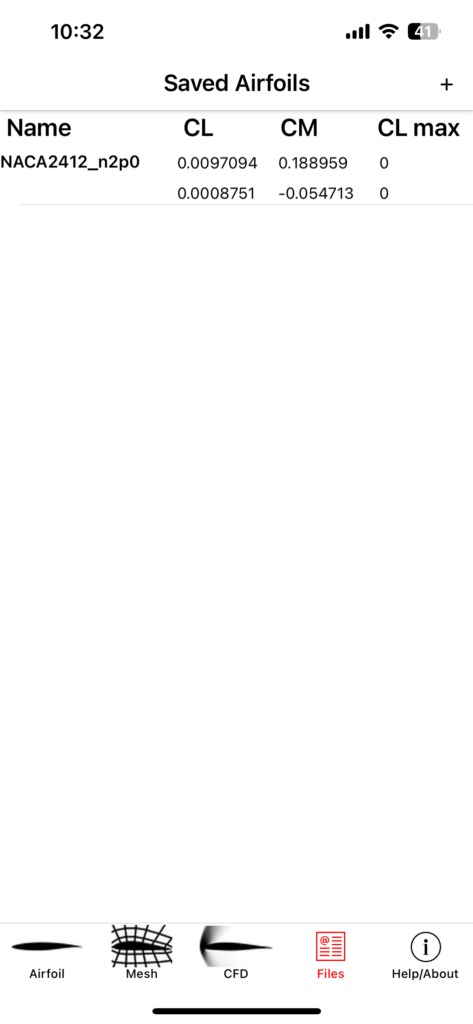
To the left is the window 4 that appears as navigate to the next step by clicking ‘Files’.
9: Save Simulation Results
Optionally, save the simulation results as a file for future reference.
Enjoy using the ‘Airfoil Design’ app for your aerodynamic studies!
LIMITATIONS
- Inviscid Flow Assumption:
- The inviscid compressible Euler solver does not account for viscous effects like drag and flow separation, leading to inaccuracies.
- Hess-Smith Panel Method Assumptions:
- Assumptions of two-dimensionality, inviscid and incompressible flow, and steady-state conditions limit the method’s ability to calculate drag and stall accurately.
- Viscous forces and friction are not considered, contributing to inaccuracies in modeling drag and stall behaviors.
- Accuracy Limited to Inviscid Flow Regime:
- The app is accurate up to the point of stall in scenarios where viscous effects play a minimal role.
- Accuracy is primarily limited to representing pressure distributions along the airfoil surface.
- Viscous Effects Not Accounted For:
- Viscous effects like drag, flow separation, and stall are not considered by the app’s solvers.
Search
Proudly powered by WordPress